Temporal-Behavioural Detections & Whitelists
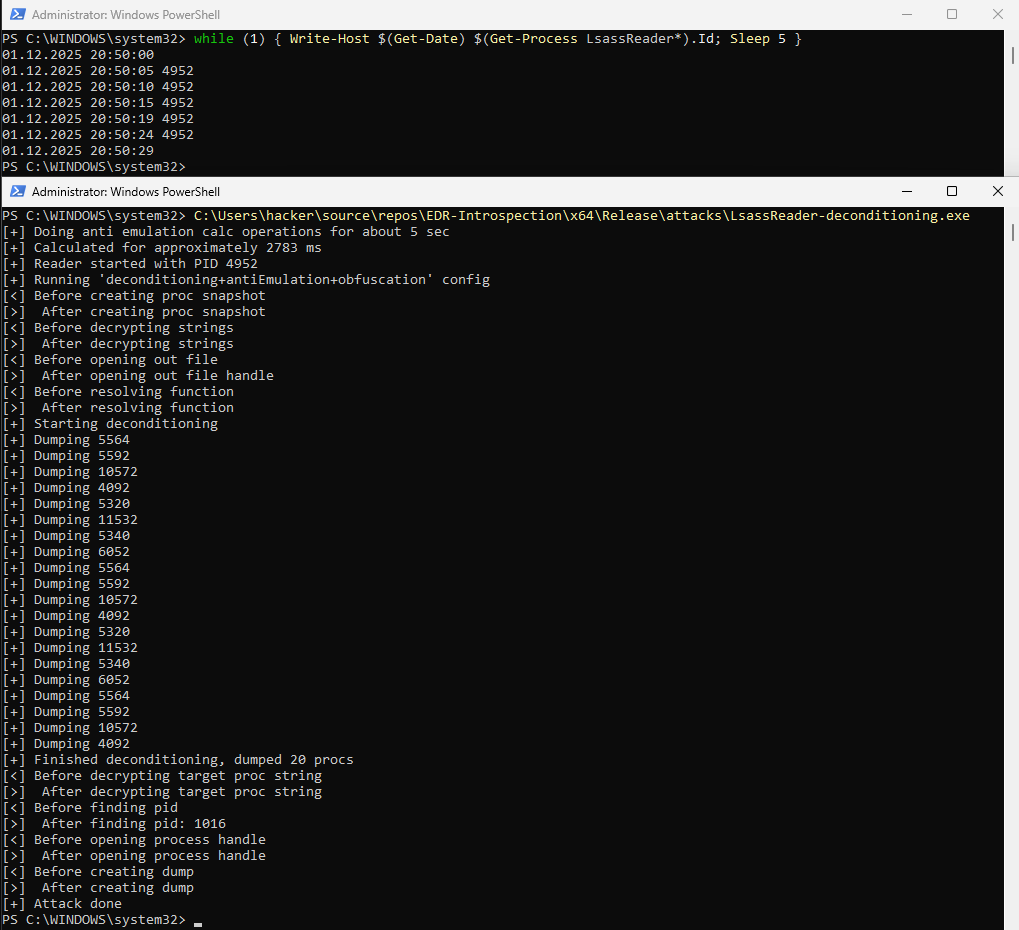
While playing around with attacks and bypasses for my EDRi project, I noticed very strange behaviour in Defenders detections. Defender for Individuals (and MDE) appear to store “known bad” behavior of processes and classify further executions of similar attacks the same, meaning other bypass strategies of the same attack are classified just as the first attack variant. Conversely, the inverse also seems to hold. Non-malicious behaviour is also stored temporarily, presumably to increase system performance. Shortly after the initial successful attack with the deconditioning strategy, the standard (null) strategy also works.
Notes
- In the following tests the \EDR-Introspection\ folder is excluded from Defender, meaning known bad files are not deleted after detection, and only malicious behaviour at runtime is blocked, not the initial execution.
- The source code for the tests is available here EDRi/attacks/LsassReader
- standard.exe means no bypasses, deconditioning.exe uses string-obfuscation, anti-emulation and deconditioning (by dumping non critical processes first)
Tests
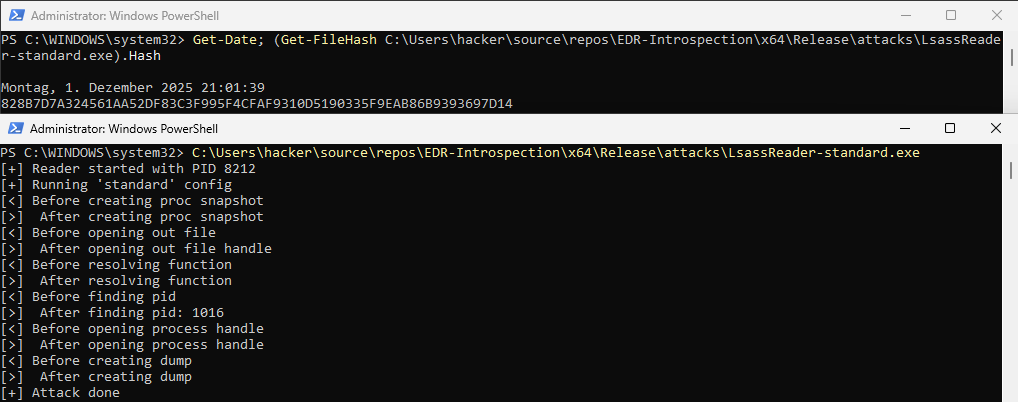
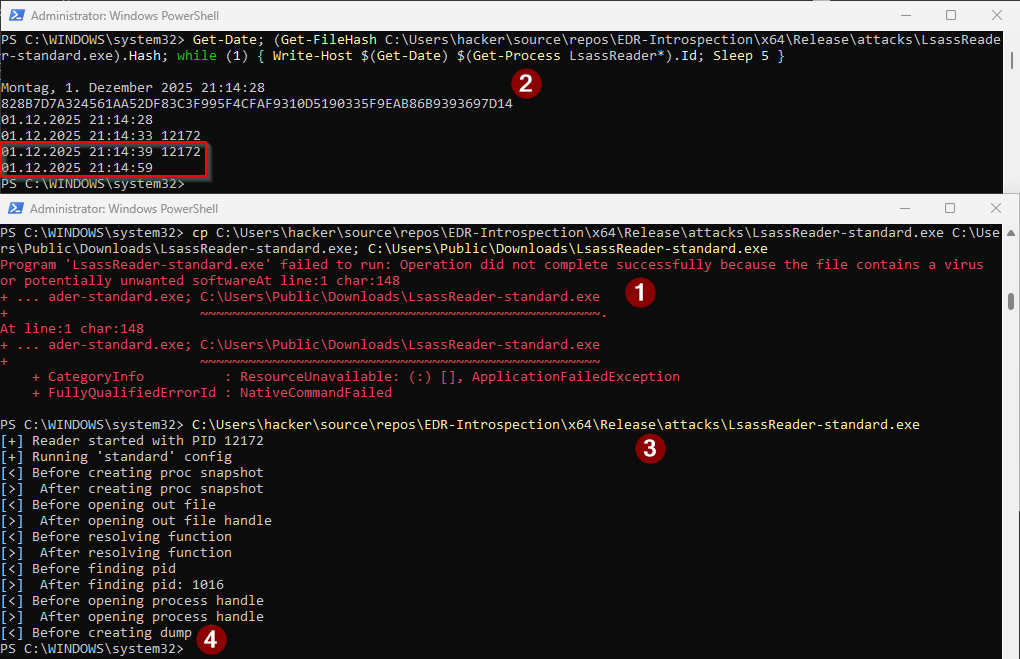
Only after LsassReader-standard.exe raises an alert, for example by copying it to a non-excluded directory (1), future executions of the standard strategy are behaviourally detected and blocked. The file hash still matches (2). When the standard variant is executed now (3), the system eventually hangs before the attack is able to dump the lsass process (4). The system hang can also be seen by the large time difference - 20 seconds instead of 5 seconds - marked in the red square top left.
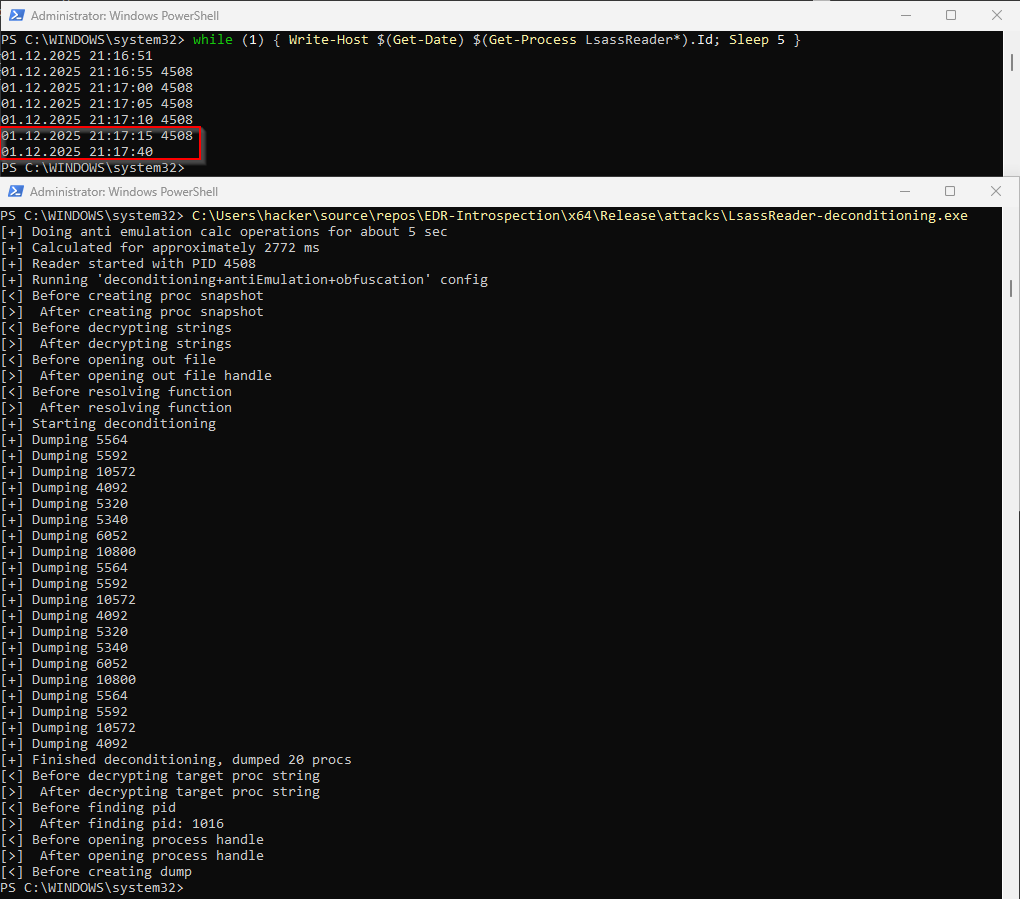
And because of the now “known bad” behaviour of LsassReader-(x).exe, the deconditioning strategy is also behaviourally detected and the system hangs before the attack can dump the lsass process, see again the red square top left.
Malware Development Pitfalls
During the development and testing of the attacks, MDE sometimes stored metadata of the attacks after detection by static identifiers. This means all further tests with the same metadata, i.e. hashes, file names or signing info, see here, were also detected. Depending on the "severity", the indicators may even be shared globally, as was the case with one LSASS dump attack. After detection on my personal VM with Defender installed, the same attack got detected on a VM in a completely different Azure Tenant with MDE installed.
THIS PART IS INACCURATE / OUTDATED
Solution?
Disable "send samples to Microsoft" and wait for about an hour after testing one variant, then the cached behavioural detection will be deleted again and Defender operates "as usual".
A note on Cloud Delivered Protection
Projects like Detonator use newly set-up VMs to conduct tests. However, as described in "Microsoft Defender for Endpoint in Depth" (978-1804615461), suspicious executions can get flagged and compared to known bad files (metadata of files) on Microsofts cloud. Even when "Cloud Delivered Protection" is turned off, there are 4 local stages to this protection, meaning metadata is stored locally after a detection and can be retrieved for future runs of similar malware files.
Correction: "Metadata is sent for detections even when sample submission is disabled", see here
Conclusion
- When conducting tests on one system without resetting it, wait 1h after an attack was detected.
- When conducting tests on multiple systems or with resets between runs, make sure "Cloud Delivered Protection" is off, so the metadata of detected files is not stored in the cloud.