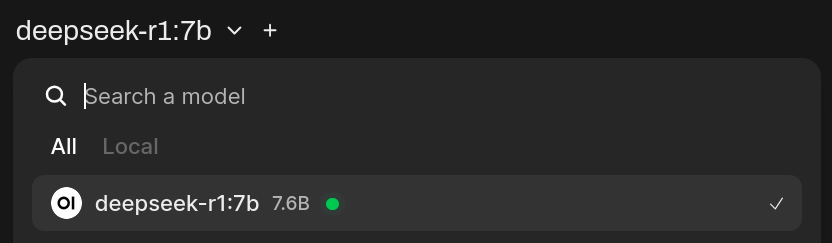
Self Host Ollama + Open-WebUI
System
- Debian 12
- 16 GB Ram
- 4 GB GPU Ram (GTX 1050)
Setup
New User
We do not want to run this with root, create an unpriv user:
mkdir /opt/llm
useradd -m -d /opt/llm -s /bin/bash llm
echo "export OLLAMA_HOST=http://172.18.0.1:11434" > /opt/llm/.bashrc
su - llm
Firewalls
USE AT YOUR OWN RISK, DO NOT ISOLATE YOURSELF FROM YOUR SERVER!
iptables -A INPUT -m conntrack --ctstate RELATED,ESTABLISHED -j ACCEPT  # allow established (outbound)
iptables -A INPUT -p tcp -s 192.168.1.0/24 --dport 22 -j ACCEPT         # allow ssh from the same home-network
iptables -A INPUT -p tcp -s 127.0.0.1/32 --dport 9001:9009 -j ACCEPT    # allow local cloudflare tunnel to local web-servers
iptables -A INPUT -p tcp -s 172.16.0.0/12 --dport 11434 -j ACCEPT       # allow docker to ollama service
iptables -A INPUT DROP
iptables -L -n
Result
Chain INPUT (policy ACCEPT)
target     prot opt source               destination
ACCEPT     0    --  0.0.0.0/0            0.0.0.0/0            ctstate RELATED,ESTABLISHED
ACCEPT     6    --  192.168.1.0/24       0.0.0.0/0            tcp dpt:22
ACCEPT     6    --  127.0.0.1/32         0.0.0.0/0            tcp dpts:9001:9009
ACCEPT     6    --  172.16.0.0/12        0.0.0.0/0            tcp dpt:11434
DROP       0    --  0.0.0.0/0            0.0.0.0/0
If everything looks correct, do netfilter-persistent save to persist reboots.
Open-WebUI
This is the frontend-server for the LLMs. It looks like the ChatGPT website, and will redirect your queries to the backend ollama server.
nano /opt/llm/docker-compose.yml
insert config
services:
  open-webui:
    image: ghcr.io/open-webui/open-webui:main
    container_name: open-webui
    ports:
      - "9003:8080"
    restart: unless-stopped
    environment:
      - OLLAMA_BASE_URL=http://172.18.0.1:11434
    volumes:
      - /opt/llm/open-webui:/app/backend/data
start Open-WebUI
docker compose up -d
Bonus Content
If you want to automatically shut down the Open-WebUI container when noone is visiting your website (i.e. your not active), see Open-WebUI Auto Idle.
Ollama
This is where the magic linear algebra happens. It takes your funny texts and predicts the next tokens. The returned tokens will be visible in the Open-WebUI gui.
apt install nvidia-driver-full # may depend on your GPU and kernel, please consult an LLM what works for you
nano /etc/systemd/system/ollama.service
insert config
[Unit]
Description=Ollama Service
After=network-online.target

[Service]
Environment="OLLAMA_HOST=172.18.0.1:11434"
ExecStart=/usr/local/bin/ollama serve
User=ollama
Group=ollama
Restart=always
RestartSec=3
Environment="PATH=/usr/local/sbin:/usr/local/bin:/usr/sbin:/usr/bin:/sbin:/bin"

[Install]
WantedBy=default.target
start Ollama
systemctl daemon-reload
systemctl enable blog-site.service
systemctl start blog-site.service
systemctl status blog-site.service
Install a new Model
su - llm
ollama list
ollama pull deepseek-r1:7b
...